


- Quick answer
- Watch the source video
- Why we picked this video
- What happened in the 7-day challenge
- What the numbers really tell us
- What the video gets right
- Where the approach needs fixing
- A careful 30-day test plan
- Worked example with realistic numbers
- Advice for business owners buying AI ads
- Our take
- FAQs
Can you really sell AI-made video ads to local businesses? A video from entrepreneur and YouTuber Mark Tilbury put that question in front of more than a million viewers this week. In it, he spends seven days following Claude’s advice to start an AI content business: he picks a niche, contacts about 50 small businesses, makes free sample images, and then produces AI video ads for the ones that say yes. He reports $1,047 in revenue and $658 in profit after tool costs.
That is an interesting result, but a YouTube challenge is not a business plan. This guide breaks down what actually happened in the video, what the numbers really say, where the approach can go wrong, and how a freelancer, agency, or in-house marketer could test the same idea in a more careful way.
Quick answer: does selling AI video ads to local businesses work?
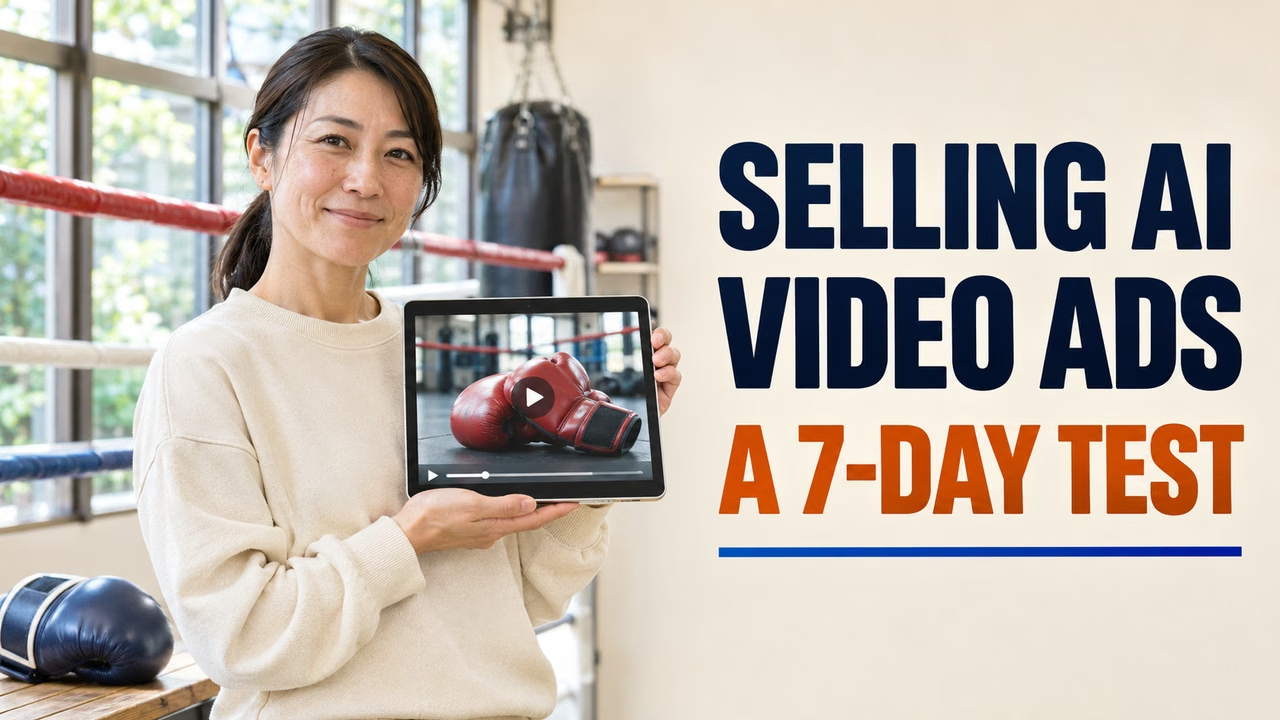
It can work, but the odds are lower and the effort is higher than the headline suggests. In the video, about 50 businesses were contacted, 4 said yes to a free trial video, and 3 paid within the seven days. Most did not reply at all, and a few replied with clear rejections, including one that said it did not want AI-generated content. The businesses that paid were small, local, and visually driven: a bakery, a boxing gym, and a park selling static homes.
The lesson for most readers: AI video tools can now produce ads that some small businesses will pay for, but the work still depends on careful targeting, honest outreach, quality control, and clear permission to use a business’s brand.
Watch the source video
Here is the video this article analyzes. It is about 28 minutes long. The description notes a promotional offer from Higgsfield, the AI image and video tool used in the challenge, so keep that commercial relationship in mind as you watch.
Source: “I Built A Business From Scratch Only Following Claude’s Advice” by Mark Tilbury, published November 16, 2026, on YouTube.
Why we picked this video
When we checked on November 21, 2026, the video had about 1.18 million views five days after upload, plus more than 21,000 likes and over 3,400 comments. That is strong engagement for a long, step-by-step video. It ranked near the top of YouTube’s results for recent “AI tools for business” uploads, ahead of many shorter videos on the same theme.
Popularity alone does not make the advice good, which is why this article focuses on testing the claims. The topic also fits a real question many DailyJade readers ask: is there an honest, repeatable way to make money with AI image and video tools, or is it mostly hype?
What happened in the 7-day challenge
Here is a plain summary of the steps shown in the video, in order.
Step 1: Ask the AI to pick the business
Tilbury told Claude to act as his boss for seven days and asked it to choose one AI side business for him. Claude suggested creating promotional images and videos for small businesses using AI. He set three rules: no use of his own name or face, every major decision comes from Claude, and he shows his screen throughout.
Step 2: Build a target list
He asked Claude which small businesses were most likely to pay for AI photos and videos. The answer pointed to small independent businesses rather than big brands. He then searched Google Maps, Instagram, and Facebook, starting with places he knew in Kent in the UK and in Dubai, and asked Claude to build a spreadsheet to track each prospect. The list included a bakery, a boxing gym, a classic car business, a jet ski company, a florist, a vineyard, a coffee shop, and a model shop he once owned.
Step 3: Make free sample images
Claude suggested sending free samples first. He connected Higgsfield to Claude as a custom connector, gave Claude each business’s website and Instagram links, and asked it to research the brand and generate product images. The bakery samples recreated its boxes and branding closely. He says he made samples for all 50 businesses on the list.
Step 4: Send personal, low-pressure emails
Claude advised keeping emails personal, leading with the free samples, and offering a full video with a “pay what you think it’s worth” model after delivery. Tilbury said he would not have priced it that way himself but followed the rule. To hide his identity for the challenge, he sent emails from an account set up under an AI-generated persona.
Step 5: Sort the replies
After three days, most businesses had not replied. A dentist said it already had a marketing agency. One business asked to be removed from the list. Another rejected AI content outright. Four businesses said yes to seeing a full video: the bakery, the boxing gym, a static home park, and the model shop.
Step 6: Produce the videos
For the bakery, Claude pitched five ad ideas. He chose an emotional story about a grandfather reliving memories after eating a cookie, then had Claude write a timed script, create character sheets to keep faces consistent, generate scenes, and edit them together. The first cut looked “flat,” so he asked for better camera work and a film look. For the gym he requested a sleek product ad in the style of famous tech commercials. He admits the last two videos took much more back-and-forth than the first two.
Step 7: Count the money
The bakery paid about $336 for the first video and the same again for a second video plus short social clips, for $672 total. The boxing gym paid $200. The static home park paid $175. The model shop had not replied before the deadline. Revenue was $1,047. Costs were $20 for Claude Pro and $369 for Higgsfield plans ($59, then an upgrade costing $310), for a total of $389. That left $658 in profit. Three more businesses replied after the deadline, and the gym offered a referral.
What the numbers really tell us
Let’s run the numbers the way a business owner should.
Reply and conversion rate. Out of about 50 businesses contacted, 4 agreed to a free trial video. That is about 8%. Three paid within the week, which is about 6% of the full list. For cold outreach with free samples attached, that is a decent result, but it means roughly 16 out of every 17 contacts did not turn into paid work during the test.
Revenue per paying client. $1,047 divided by 3 paying clients is about $349 each. One client, the bakery, made up nearly two-thirds of the total because it bought a second video. That is a common pattern: a few happy clients drive most of the income.
Tool costs. The AI tools cost $389, or about 37% of revenue. Most of that was the video tool upgrade. Video generation uses a lot of credits, and redoing scenes to fix problems uses even more. If you price low, tool costs can eat most of the margin.
Time is missing from the math. The video counts tool costs but not hours. Researching 50 businesses, generating 50 sets of samples, writing emails, and producing four videos with several rounds of edits is a lot of work. If it took 40 hours, the $658 profit works out to about $16 per hour. If it took 20 hours, it is about $33 per hour. Track your own hours if you try this.
Starting advantages. Tilbury hid his name, but he still had decades of business experience, an experienced eye for ads, earlier practice with the same video tool, and likely a production team behind the YouTube video itself. A beginner should expect slower progress at first.
Tool pricing changes. The plan prices in the video may not match what you see today. AI video tools change their plans often, and some sources list different prices for the same tiers. Always check the tool’s own pricing page before you set your rates.
What the video gets right
Some parts of the playbook are genuinely useful and match how good agencies win local clients.
Lead with work, not claims
Sending a business owner a sample made for their own products is far more persuasive than a generic pitch. People respond to seeing their own shop, product, or brand in a polished image.
Target visual, local businesses
Bakeries, gyms, florists, car dealers, and property sellers rely on attractive visuals and often lack the budget for a film crew. Those are the buyers most likely to see value in AI-made content.
Use the AI as a planner and researcher
The most efficient parts of the video were not the flashy scenes. They were the boring tasks: building a tracking spreadsheet, summarizing a brand from its website, drafting scripts, and planning shot lists. Those are the areas where tools like Claude save real time. Our guide on how to use Claude for work covers more of these everyday tasks.
Expect the first draft to need work
The bakery ad improved a lot after a second pass focused on camera movement and color. Treat the first output as a rough cut, not the final product.
Referrals and late replies matter
By the end of the week, three more businesses wanted work and one client offered a referral. Service businesses often start slowly and then grow through word of mouth, so a one-week test understates the long-term potential.
Where the approach needs fixing
Several parts of the challenge make sense for entertainment but should not be copied in a real business.
1. Do not send business email under a fake identity
The video used an AI-generated persona to hide who was sending the emails, and Tilbury said he would not normally recommend that. We agree, and we would go further. In the United States, the FTC’s CAN-SPAM compliance guide says commercial emails must have accurate header information that identifies who sent them, honest subject lines, a clear way to opt out, and a valid postal address. Each violating email can carry a civil penalty of up to $53,088 under the figure listed on that page. Other countries have their own rules, and some are stricter about cold email. Use your real name and business, and honor every opt-out quickly.
2. Get permission before using a business’s brand
The samples recreated real packaging, logos, and even what looked like a real shopfront. That is fine as a private pitch shown only to the owner. It is not fine to post those images publicly, use them in your own portfolio, or run them as ads without the business’s written approval. Put usage rights in writing for every job.
3. Avoid “pay what you think it’s worth” as your main model
It lowered the barrier in the challenge, but it makes income unpredictable and invites low offers. A better approach is a small, fixed starter package with a clear scope, such as one 30-second ad and three short social clips, with the price stated up front. You can still offer a free sample image to start the conversation.
4. Be open about AI
Some businesses reject AI content, and some customers react badly when they feel misled. Say clearly that the visuals are AI-generated. Check the advertising platform’s rules too, since some platforms ask advertisers to label realistic synthetic media in certain cases.
5. Do not invent people, reviews, or claims in the ads
An emotional story with actors is normal advertising. Fake customer testimonials, fake before-and-after results, or invented product claims are not. Keep ads to what the business can stand behind.
6. Watch for disclosed sponsorships
The video’s description promotes a discount on the video tool used. That does not make the information wrong, but it is a good reason to compare tools yourself before you commit to a costly plan.
How to test this idea the careful way: a 30-day plan
If you want to try selling AI video and image content to local businesses, here is a more grounded plan. It works for a freelancer, a small agency, or an in-house marketer pitching an internal project.
Week 1: Pick a narrow niche and build samples
Choose one type of business you understand, such as independent bakeries or local gyms. Pick 20 to 30 businesses in your area. Use an AI assistant to summarize each one’s website and social profiles, then create two or three sample images per business. Keep them private. Compare a few tools first; our guides to the best AI video generators and best AI image generators are good places to start.
Week 2: Reach out honestly
Send short, personal emails from your real business address. Attach one or two samples, explain that they are AI-generated, and offer a fixed starter package. Include your address and an easy opt-out. Our cold email templates and guide on improving email deliverability will help your messages land and read naturally.
Week 3: Deliver one or two projects very well
Write a short brief with the client, agree on usage rights, and produce the ad. Plan for at least two rounds of edits. Keep a log of hours and tool credits used. For editing and captions, AdNxt’s guide to Descript alternatives for video editing covers useful options for polishing AI footage.
Week 4: Review the numbers and decide
Add up revenue, tool costs, and hours. Calculate your real hourly rate. Ask each client for feedback and whether they would buy again. If the numbers are weak, adjust your niche, package, or price before scaling up. If they are strong, set up a simple CRM to track leads; our list of the best CRM tools for marketing agencies can help.
A worked example with realistic numbers
Let’s say Priya is a freelance designer in Texas. She follows the 30-day plan and targets 30 independent coffee shops and bakeries in her city.
- She sends 30 honest emails with samples. Nine reply, and four agree to a call.
- Two buy her starter package at $400 each: one 30-second ad and three short clips.
- She pays $49 for one month of a mid-tier video tool and $20 for an AI assistant, for $69 in tool costs.
- She logs 26 hours: 8 on research and samples, 4 on outreach, 14 on production and edits.
Revenue is $800. Profit after tools is $731. Her effective rate is about $28 per hour for the first month. That is not life-changing, but the first month includes setup time she will not repeat. If one client orders a monthly package of new clips, her rate improves quickly. These figures are an illustration, not a promise. Your results will depend on your market, skills, and pricing.
What this means for business owners buying AI ads
This video is also useful if you run a small business and receive offers like this. Here is what to ask before you pay for AI-made video content:
- Who is sending this? Check that the person and business are real and reachable.
- Who owns the final files? Get usage rights in writing, including for paid ads.
- Is it clearly AI-generated? Decide whether that fits your brand and your customers’ expectations.
- What is included? Ask for a clear scope, number of edits, and delivery formats.
- Where will it run? A great ad still needs good targeting and a working landing page to bring in customers.
That last point is often missed. A beautiful video does little if it is shown to the wrong people or sends viewers to a weak page. Local visibility basics still matter; AdNxt’s guide to optimizing a Google Business Profile for local search is a good complement to any new ad creative.
Have great AI ad creative but not sure where to run it? AdNxt plans and manages Google and Meta ad campaigns for businesses in the US and Canada, so your videos reach the right local customers.
Our take
The video is an honest look at a real opportunity, wrapped in a challenge format. It shows that today’s AI tools can produce ads good enough for some small businesses to pay for, and that an AI assistant can handle much of the planning, research, and scripting. It also shows, if you look closely, that most prospects say nothing or say no, that video tool costs add up fast, and that quality still depends on human judgment.
The parts we would change are the ones that affect trust: sending email under a fake identity, using real brands without clear permission, and relying on pay-what-you-want pricing. Fix those, track your hours, and the idea becomes a reasonable small service business rather than a stunt. For safe ways to let AI help with marketing work without losing control, AdNxt’s guide to setting up AI agents for marketing is worth a read.
Frequently asked questions
How much money did the AI video challenge make?
The video reports $1,047 in revenue from three paying businesses over seven days. After $389 in AI tool costs, profit was $658. Time spent on the work was not counted in that figure.
What AI tools were used in the video?
Claude was used for planning, research, scripts, emails, and a tracking spreadsheet. Higgsfield, connected to Claude, generated the images and videos. The video description includes a promotional offer from Higgsfield.
Can I legally send cold emails to businesses to sell AI ads?
In the United States, commercial email must follow CAN-SPAM rules, including accurate sender information, honest subject lines, a postal address, and a working opt-out. Rules in other countries differ, so check local law before you start.
Should I tell clients the ads are made with AI?
Yes. Being open avoids disputes and lets the business decide what fits its brand. Some ad platforms also have their own labeling rules for realistic AI-generated media.
What should I charge for an AI video ad?
Start with a fixed, clearly scoped package rather than pay-what-you-want. Base the price on your tool costs, your hours, and local market rates, then adjust after your first few projects.
Which businesses are most likely to buy AI video ads?
In the video, the paying clients were a bakery, a boxing gym, and a park selling static homes. Small, local businesses with strong visual products and no in-house video team tend to be the best fit.
Join the conversation
Share a useful perspective, question, or first-hand experience with other Daily Jade readers.